Who Actually Performs the Restore? Five Checks to Run Before They Have To
Most backup setups are built by one person and used by someone else entirely, and five tested checks decide whether that handoff works.
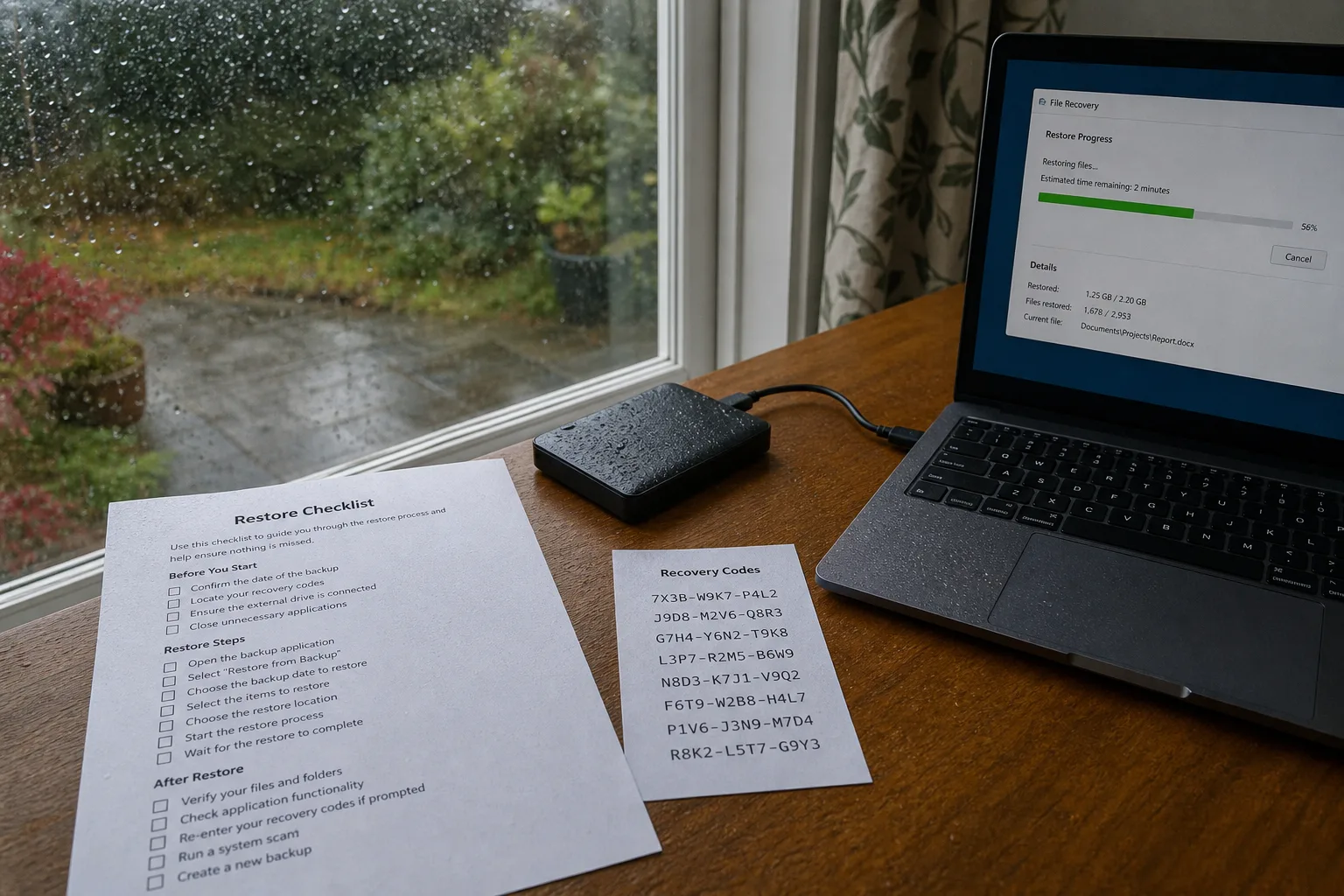
A backup that has never been restored is a claim rather than a fact, and the gap between the two is usually discovered on the worst possible afternoon. The setup is easy to admire: a green checkmark in a menu bar, a cloud folder syncing quietly, an external drive humming on a shelf. None of that is evidence. Evidence is a file pulled back out, opened, and confirmed to be the version you wanted. What follows are five checks worth running deliberately, along with the small amount of paperwork that turns them from a personal habit into something another person can execute without you.
1. Pull one real file back, and time how long it takes
Pick a document you would genuinely miss, delete your working copy or rename it, and retrieve it from the backup the way you would in an emergency. Open it afterward. This single exercise tests every link in the chain at once: the credentials, the software, the network path, the storage medium, and the file format itself. It also produces a number you do not otherwise have, which is elapsed time. A retrieval that takes four minutes and one that takes eleven hours are different plans with different consequences, and knowing which you own changes what you do in the first hour of a failure.
Run the same test against a large item, not just a small one. Restoring a single spreadsheet from a cloud service is nearly instant; restoring forty gigabytes of photographs over a residential upload-constrained connection is an overnight job, sometimes a multi-day one. Write down both figures with the date. If the service offers a physical shipment option for bulk recovery, find out what it costs and how long it takes before you need it, because that price is rarely quoted anywhere you would stumble across it. The point is not pessimism. The point is that a known duration can be planned around.
2. Map what is not covered, because that list is longer than you think
Backup tools protect what they were pointed at, and most were pointed at a laptop's documents folder years ago and never revisited. The gaps accumulate quietly. Photos and messages living only on a phone, the configuration of a home router that took an afternoon to tune, footage on a video doorbell that the manufacturer keeps for a rolling number of days, the seeds inside an authenticator app, scans sitting in a printer's memory, a small business's point-of-sale records held entirely inside a vendor's web portal. Connected devices are the usual offenders, because they store their state in the company's account rather than on anything you own.
Build a written inventory, one line per device or account, naming what it holds, where a copy goes, and how often. Do it on paper or in a plain text file that does not itself depend on the system being backed up. The inventory is the document that makes the rest of this manageable, and it is the one most households skip because it feels clerical. It is also the artifact that survives you being unavailable. Someone holding that page can see the shape of the whole arrangement in about ninety seconds, which is roughly how much patience anyone has in a crisis.
3. Confirm that someone other than you can get in
Here is the party most people overlook when they design a backup: the person who will actually perform the restore. It is frequently not the person who set it up. A spouse handling things after a hospital stay, an adult child working through a parent's accounts, a bookkeeper covering a two-week absence, the next office manager at a small nonprofit. That person does not need your enthusiasm for the technology. They need the account name, the password, the second factor, and permission to use all three, and they need it in a form that will be accessible when your phone is locked in a drawer or at the bottom of a lake.
Most reputable password managers offer an emergency access or legacy contact feature that grants a named person entry after a waiting period, which is a far better arrangement than a sticky note and far better than nothing at all. Print the recovery codes for the two or three accounts that gate everything else, the primary email above all, and store them somewhere physical that the named person can reach. If the accounts belong to a business or an estate, the authority to access them should be written into the operating agreement, the power of attorney, or the will, so that the technical capability and the legal permission arrive together rather than one without the other.
4. Read the vendor's exit terms before the vendor needs them
The backup company is the other overlooked party in this transaction, and it is a commercial entity with a balance sheet, an acquisition risk, and a product roadmap that may not include you. Companies get bought, shut consumer tiers, change pricing, or simply stop. What matters is not whether that happens but what you are left holding when it does. Find the terms of service section on account termination and data export. Look for how much notice you get, how long data remains retrievable after an account lapses, and whether the export produces ordinary files or a proprietary container that only the vendor's own software can open.
Check the billing card on file while you are there, because the most common way a backup dies is an expired card and a notification sent to an address nobody reads. Then ask the encryption question plainly: who holds the key. End-to-end encryption where only you hold the key is a genuine privacy benefit and a genuine risk, since a lost key means a permanently unreadable archive and no support desk can undo it. The National Institute of Standards and Technology is responsible for the federal guidance that shapes how much of this industry approaches encryption and recovery, and vendors will usually tell you which model they follow if you ask. Record the answer in your inventory.
5. Keep a one-page restore sheet and a dated test log
The paperwork that makes all of this usable fits on a single sheet. Name the services in use, the order to work through them, the person or company to call if a step fails, the location of the physical drive and its key, and the expected duration of each restore. Write it for a reader who is competent but unfamiliar, which is exactly who will be holding it. Skip the jargon and the abbreviations that only make sense inside your own head. One page, printed, stored with the recovery codes, with a copy given to the person who would be asked to act.
Underneath it, keep a log: date, what was restored, how long it took, and what broke. Three lines per test is plenty. Twice a year is a reasonable cadence for most households, quarterly for a small business with payroll or client records, and the calendar reminder should carry the restore sheet's location in the body of the invitation so that the two never drift apart. A log with four entries on it tells you something a green checkmark never will, which is that the system worked repeatedly, under slightly different conditions, with a real file, on a real day.
The work described here takes a couple of hours the first time and perhaps twenty minutes each time after. What it buys is a plan that does not depend on your presence, your memory, or the continued existence of any single company, and a successor who can open one page and know exactly what to do next.